







Best AI Tools for Productivity in 2026: My Honest Picks That Actually Save Time
I used to start every morning buried in emails, scattered notes, and tasks that somehow never got done. That changed when I stopped treating AI like a novelty and started using it like an actual work...

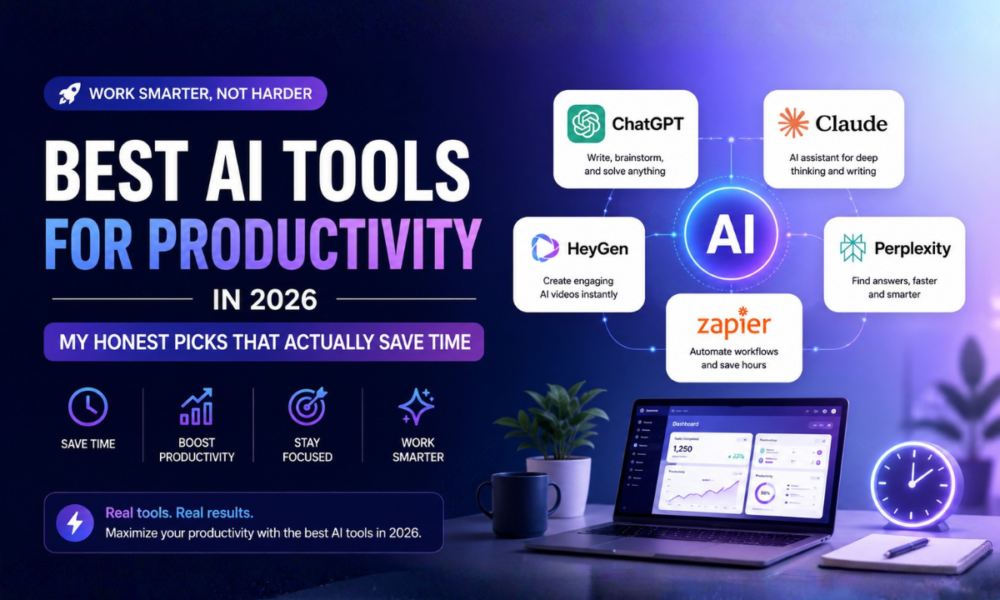
I used to start every morning buried in emails, scattered notes, and tasks that somehow never got done. That changed when I stopped treating AI like a novelty and started using it like an actual work partner.
Table Of Content
- Why AI Productivity Tools Matter Right Now
- Top Picks That Earn Their Spot Daily
- 1. Claude: Best for Thinking and Writing
- 2. ChatGPT: Fast and Versatile
- 3. Notion AI: Your Organized Second Brain
- 4. Zapier AI: Automation Without the Code
- 5. Perplexity AI: Research Without the Rabbit Hole
- My Simple Daily Stack
- One Thing to Watch Out For
- Final Thoughts
After testing more tools than I care to count, here are the Best AI Tools for Productivity 2026 that genuinely made a difference — no hype, just what works.
Why AI Productivity Tools Matter Right Now
Today’s AI productivity tools aren’t the clunky assistants of two years ago. They handle multi-step tasks, connect with your existing apps, and actually understand context. Used right, they can hand back 10 to 15 hours of your week. The goal isn’t to use every tool, it’s to pick a few and use them well.
Top Picks That Earn Their Spot Daily
1. Claude: Best for Thinking and Writing
Claude is my go-to for anything that needs real depth. Long-form writing, analyzing documents, strategy work — it holds context better than anything else I’ve tried. The Artifacts feature lets you build and edit content right inside the chat, which cuts out a lot of back-and-forth.
Best for: Writing, research, complex tasks Pricing: Free tier; Pro ~$20/month
2. ChatGPT: Fast and Versatile
When people ask about Claude vs ChatGPT, my answer is always: use both for different things. ChatGPT wins on speed. Quick email drafts, brainstorming, summarizing, it handles AI for everyday tasks without friction. GPT 4o’s voice mode is genuinely useful when you’re on the move.
Best for: Speed, variety, quick turnarounds Pricing: Free tier; Plus ~$20/month
3. Notion AI: Your Organized Second Brain
Notion AI turns a good note-taking app into a smart knowledge hub. It summarizes meetings, generates templates, and helps you turn messy notes into structured content all inside one workspace. It’s quietly one of the best automation tools 2026 has offered for personal and team organization.
Best for: Notes, project management, content planning Pricing: AI add-on ~$10/member/month
4. Zapier AI: Automation Without the Code
Zapier AI lets you describe a workflow in plain English and builds it for you. I have automations that save emails to Notion, log leads to a spreadsheet, and post weekly updates to Slack — all running without me touching them. If repetitive tasks are eating your time, this is the fix.
Best for: Connecting apps, eliminating manual work Pricing: Free tier; paid plans from ~$20/month
5. Perplexity AI: Research Without the Rabbit Hole
Perplexity gives you cited, direct answers from live web sources. No ads, no clicking through ten pages. I use it anytime I need a fast, credible answer on something I don’t have time to deep dive into.
Best for: Quick research, fact-checking, market intel Pricing: Free tier; Pro ~$20/month
My Simple Daily Stack
- Claude for writing and deep work
- ChatGPT for fast, everyday tasks
- Notion AI + Zapier for staying organized and automating the repetitive stuff
- Perplexity for quick research
That’s it. Four tools, used with intention. Most people fail with AI not because they use the wrong tools, but because they use too many without mastering any.
One Thing to Watch Out For
AI still gets things wrong sometimes. Always review anything important before it goes out. And keep a prompt library — save the instructions that work for recurring tasks. It takes ten minutes to set up and saves hours over time.
Final Thoughts
The Best AI Tools for Productivity 2026 aren’t about chasing the newest release. They’re about building a simple system that fits the way you actually work. Start with one tool this week, use it daily, and watch where you get time back.
Related Blog:



No Comment! Be the first one.